Status Pages
Status pages turn your monitors into a customer-ready health dashboard. UptimeO supports both public and private pages.Create a Status Page
Go to Status Pages in the sidebar and click New Status Page.
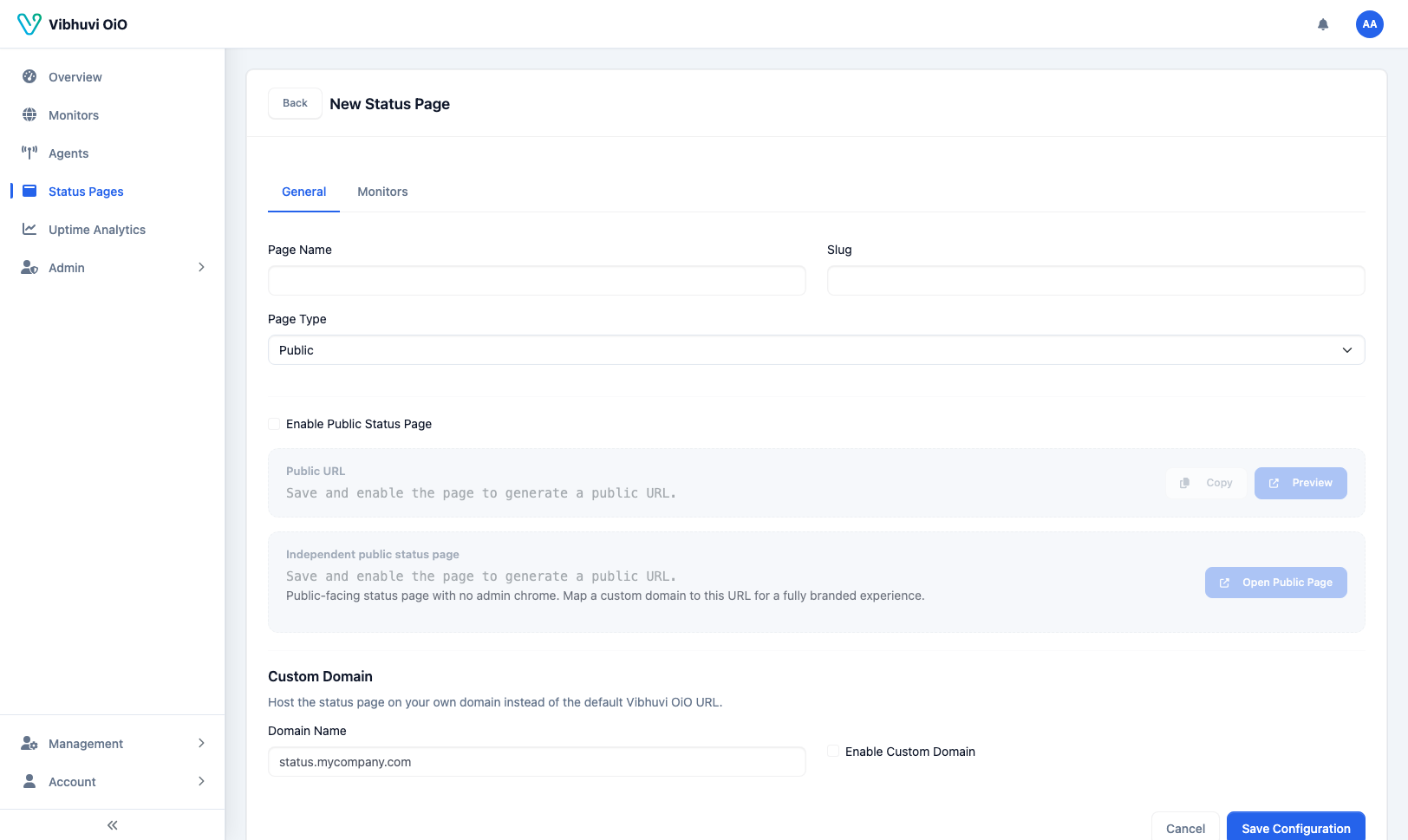 Select which monitors and regions to include, then publish.
Public Status Page
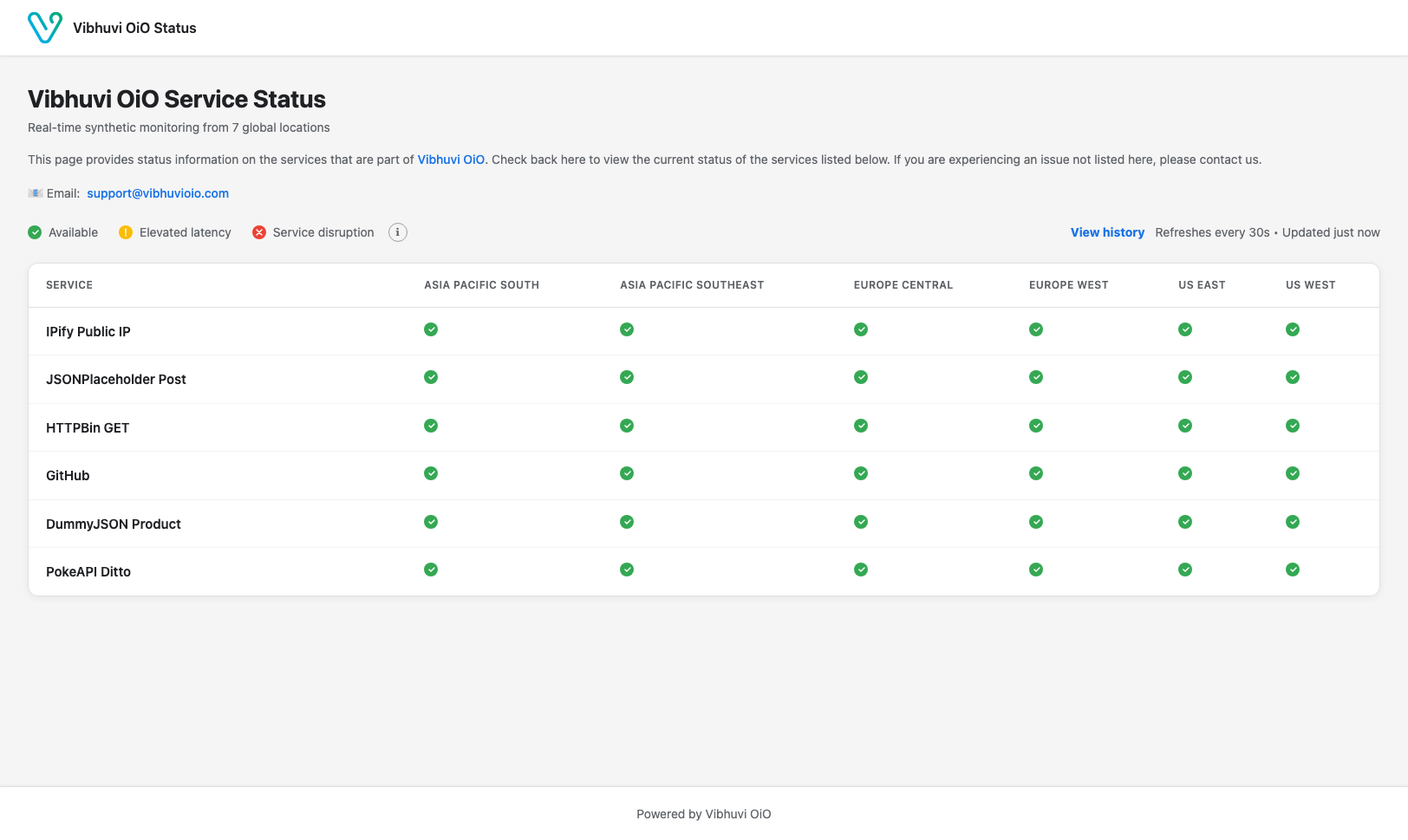
Public pages can be shared with anyone.
Private Status Page
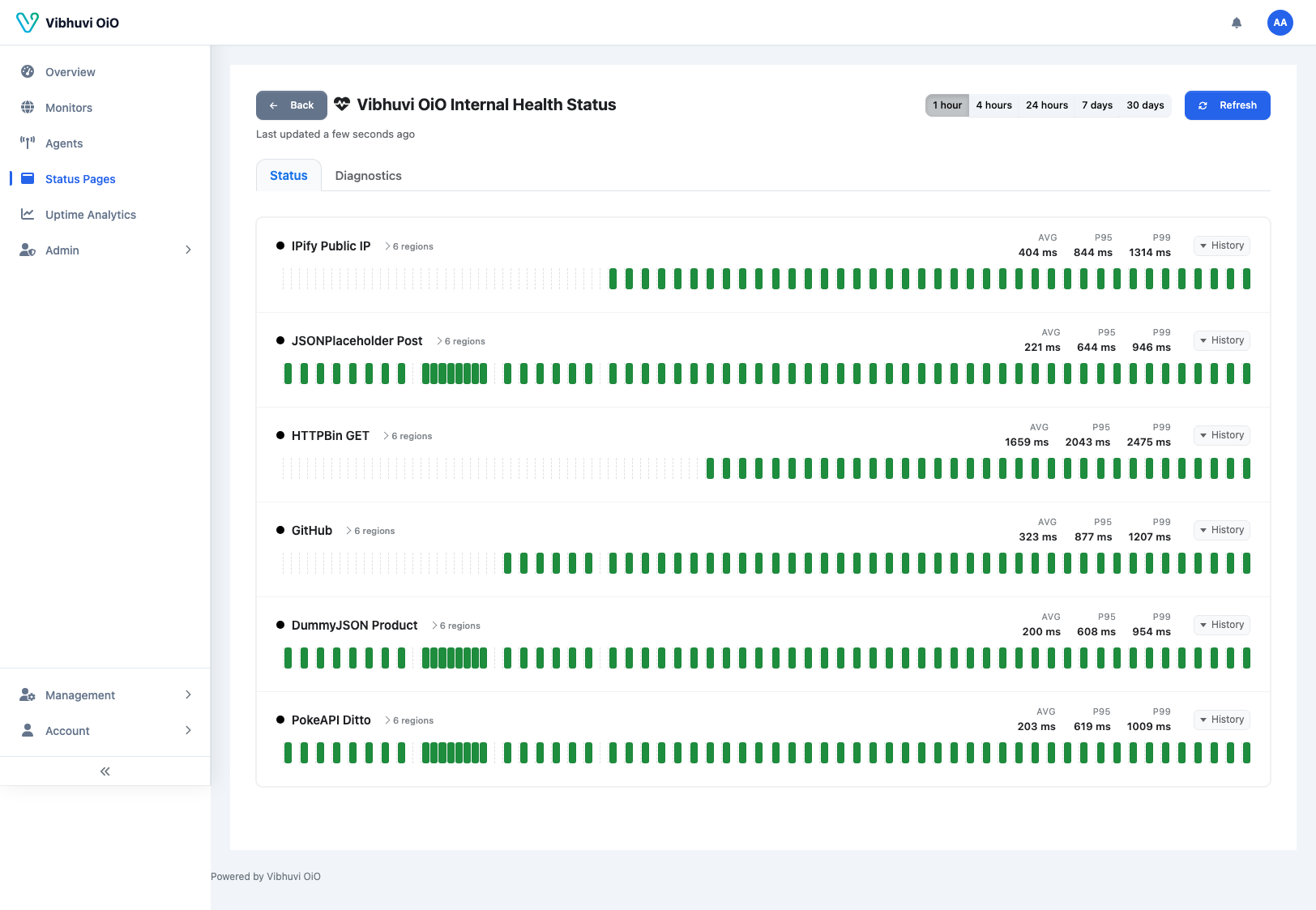
Private pages require a link or token to view.
Customization
Each status page has its own branding, theme, and content settings in the UI:- Branding tab — company name, page title/subtitle, logo, favicon, support contacts, navbar link.
- Theme tab — primary color, navbar/footer/page background colors.
- Content tab — footer text, meta tags, history window (24 hours / 7 days / 30 days), visibility toggles for header, footer, history, and uptime percentage.
WEBSITE_TITLE="Uptime Status"
WEBSITE_LOGOPATH="/content/images/logo.png"
WEBSITE_FOOTERTITLE="Powered by Uptime Status"