Features Overview
LDAP Manager provides a modern, intuitive interface for managing OpenLDAP servers with powerful features for directory management, monitoring, and administration.Dashboard & Multi-Cluster Management
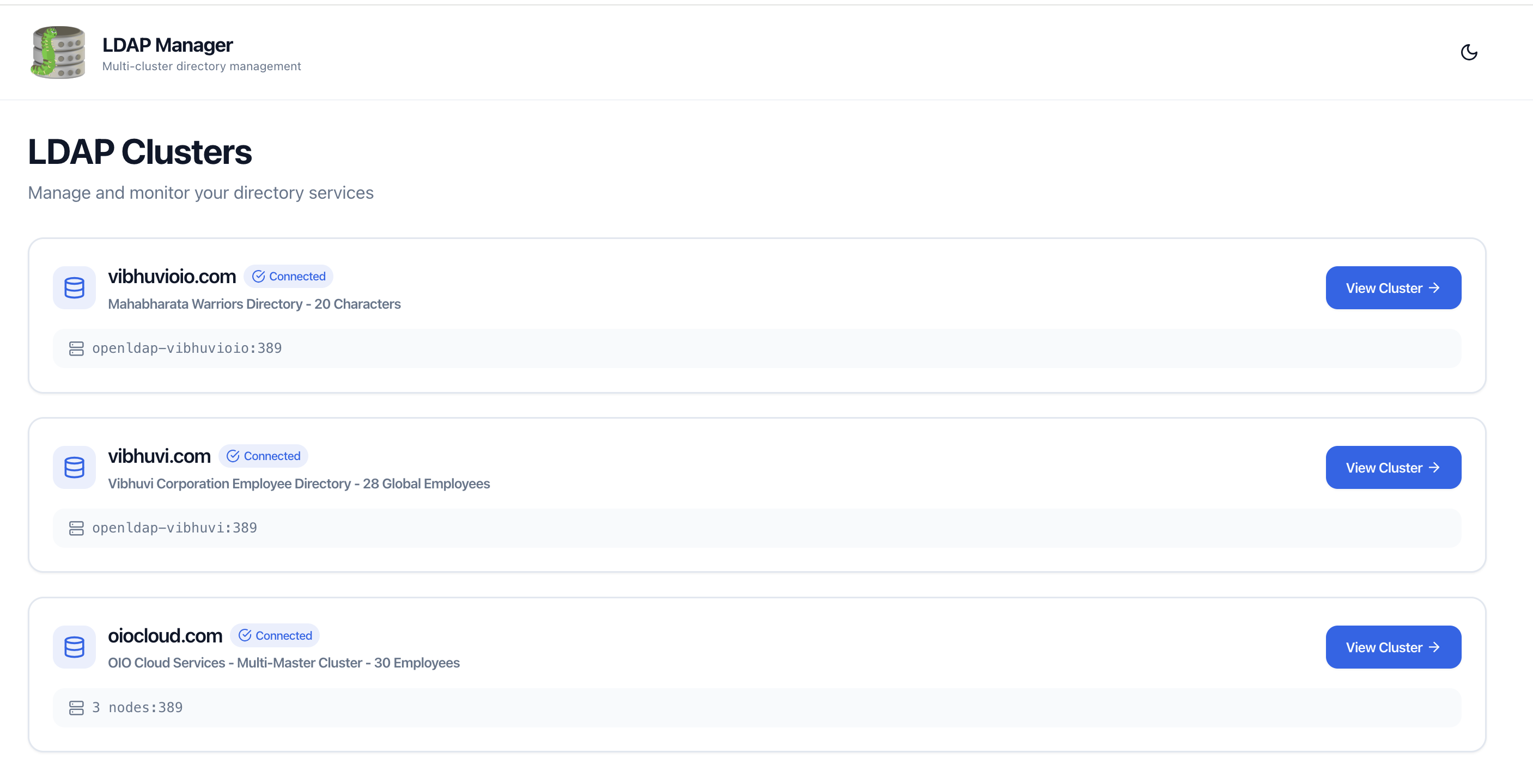
Manage multiple LDAP servers from a single interface. The dashboard shows all configured clusters with health status indicators.
Key Features:
- Multi-Cluster Support - Connect to multiple LDAP servers
- Health Status - Real-time connection status for each cluster
- Quick Access - Click any cluster to view its directory
- Cluster Information - View host, port, and description
Connecting to LDAP
When you first connect to a cluster, you'll be prompted to enter the admin password. This password is securely encrypted and cached using Fernet symmetric encryption with automatic TTL expiration.Note: Password Caching: Passwords are encrypted at rest using Fernet (AES-128-CBC + HMAC) and stored in /app/.cache/ within the container. Encryption keys are stored securely in /app/.secrets/ with 0600 file permissions. Passwords expire after 1 hour by default. They are never logged or transmitted in plain text. See Security Guide for details.
How It Works:
- 1 Click on a cluster name
- 2 Enter the bind DN password when prompted
- 3 Password is cached for future use
- 4 All users can access the cluster without re-entering password
Users Management
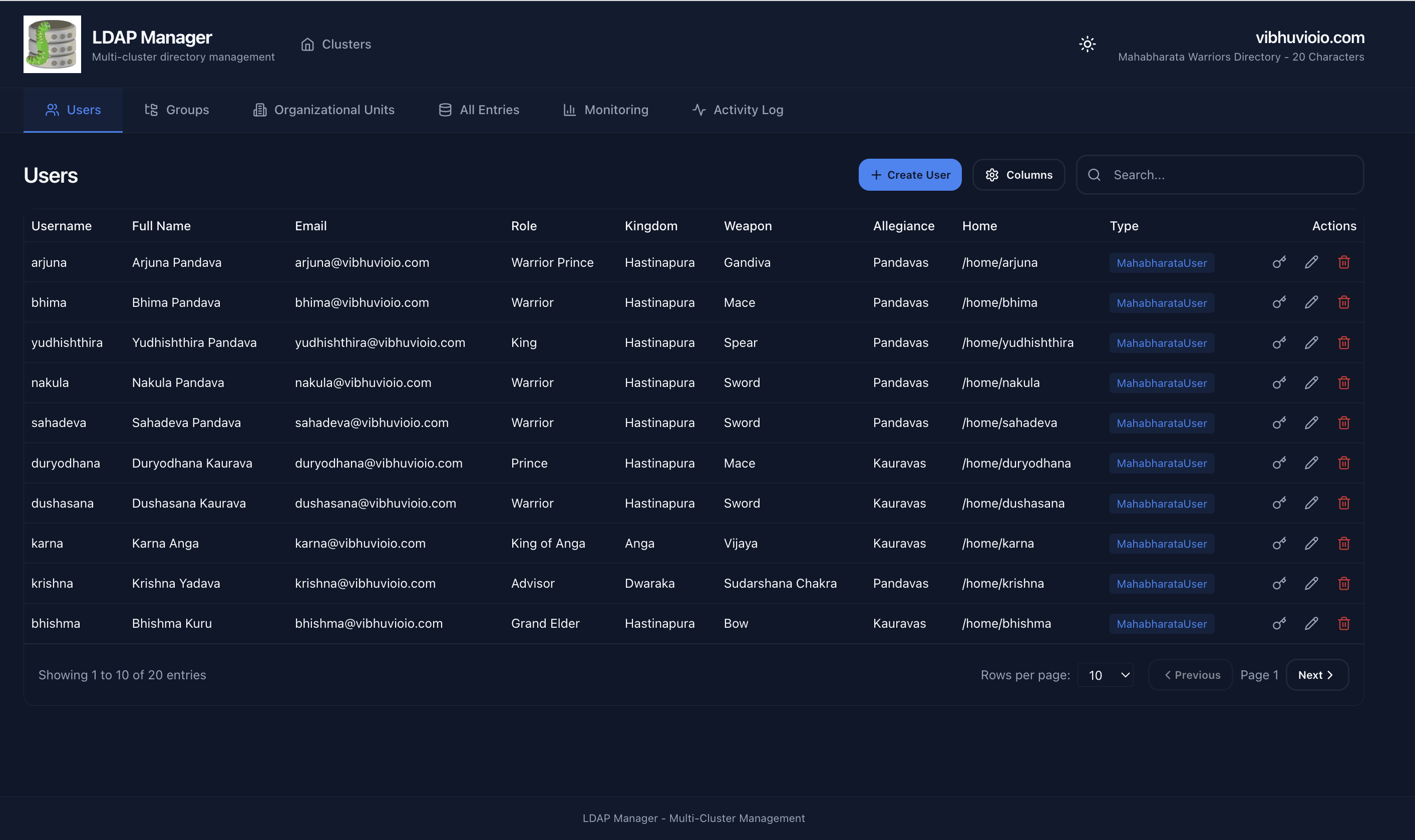
Browse, search, create, edit, and manage LDAP user entries with an intuitive table interface.
Features:
- Server-Side Search - Fast LDAP filter-based search across uid, cn, mail, sn
- Server-Side Pagination - Efficient handling of large directories (RFC 2696)
- Create User - Custom form with auto-fill fields
- Edit User - Modify user attributes (except uid/uidNumber)
- Change Password - Update user passwords with policy validation
- Delete User - Remove user entries
- Column Customization - Show/hide columns via Settings button
- Custom Schema Support - Automatically detects custom objectClasses
User Actions:
Each user row has an Actions menu with:- 🔑 Change Password
- ✏️ Edit User
- 🗑️ Delete User
Groups Management
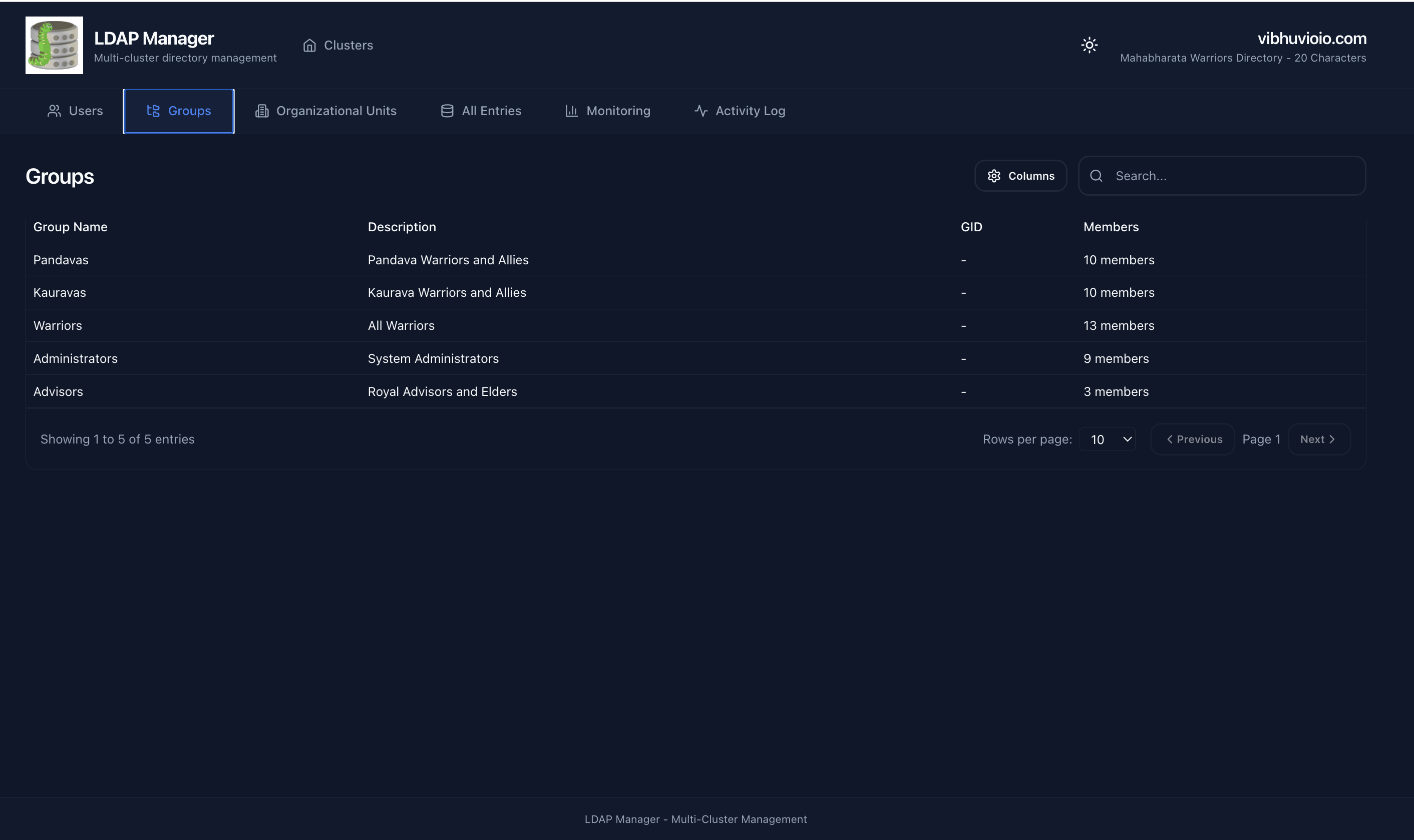
View and manage LDAP groups including groupOfNames, groupOfUniqueNames, and posixGroup.
Features:
- Group Types - Supports all standard LDAP group types
- Member Display - View group members
- Group Details - See description and DN
- Search Groups - Filter groups by name
Organizational Units (OUs)
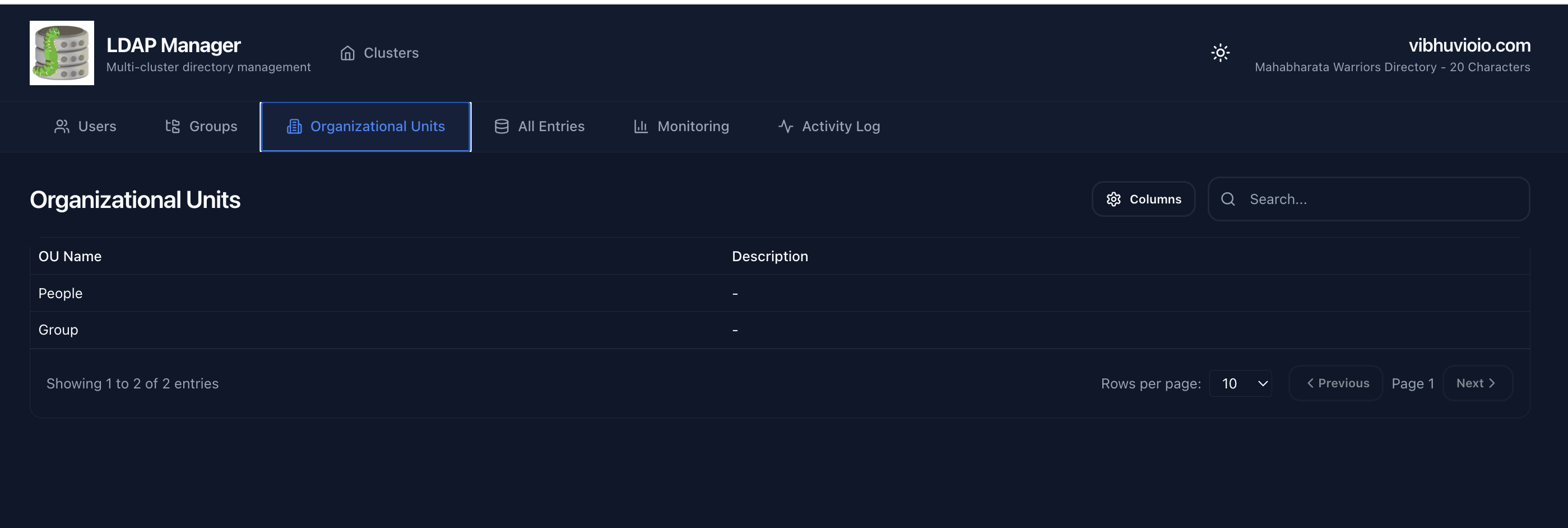
Navigate and manage the organizational unit hierarchy in your LDAP directory.
Features:
- OU Hierarchy - View organizational structure
- OU Details - Name, description, and DN
- Navigate Structure - Browse through OU tree
All Directory Entries
View all LDAP entries regardless of type - users, groups, OUs, and custom objects.
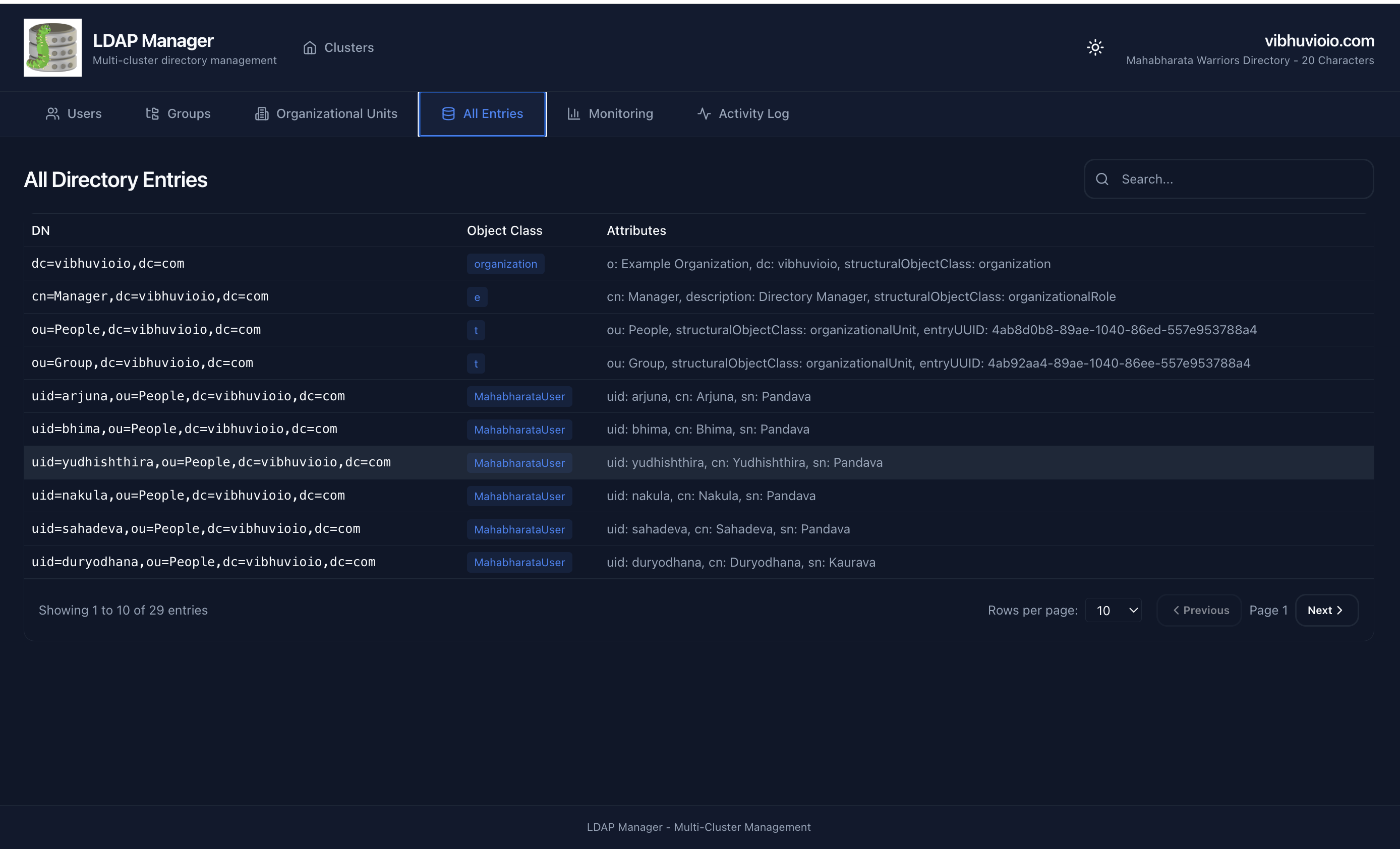
Features:
- Complete View - All object types in one table
- Object Class Display - See entry types
- Universal Search - Search across all entries
Monitoring & Health Status
Real-time monitoring of LDAP cluster health, connection metrics, and replication status.Single Node Monitoring
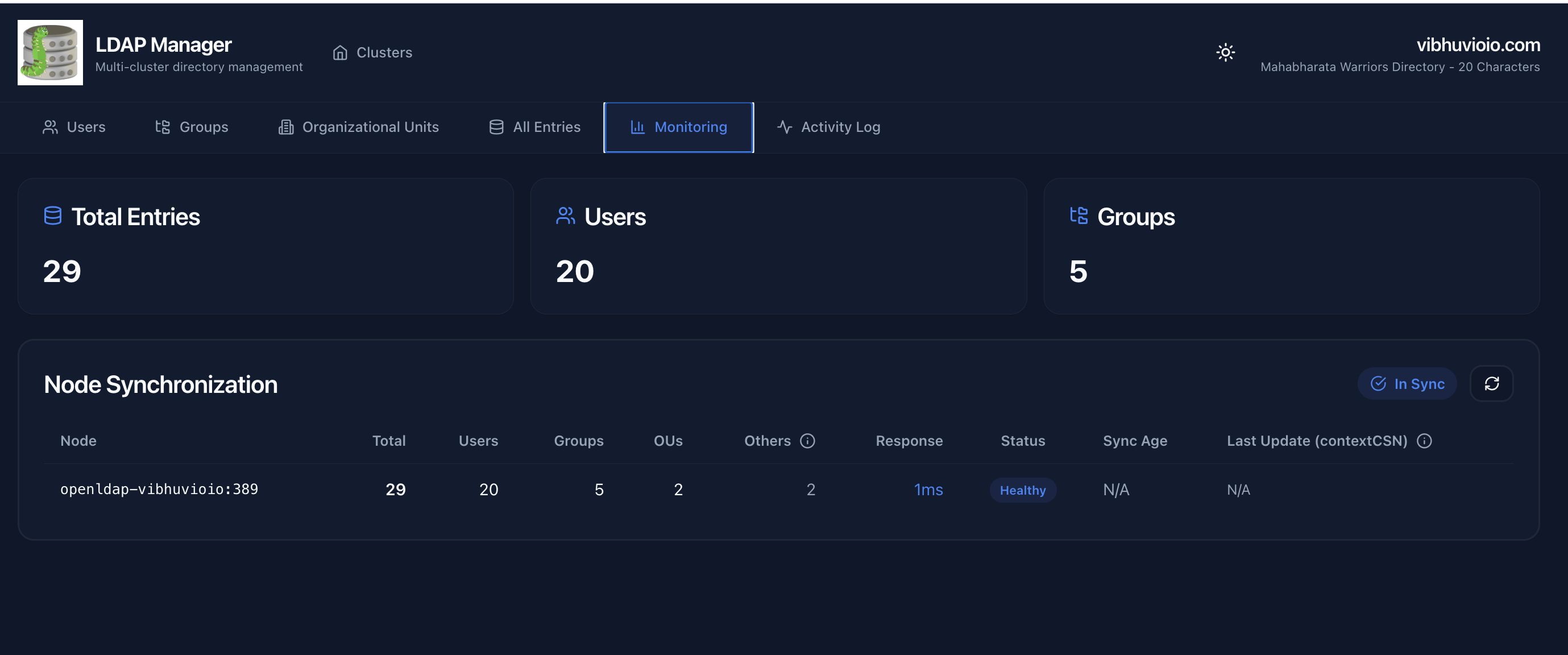 Monitor individual LDAP server health and statistics.
Multi-Node Cluster Monitoring
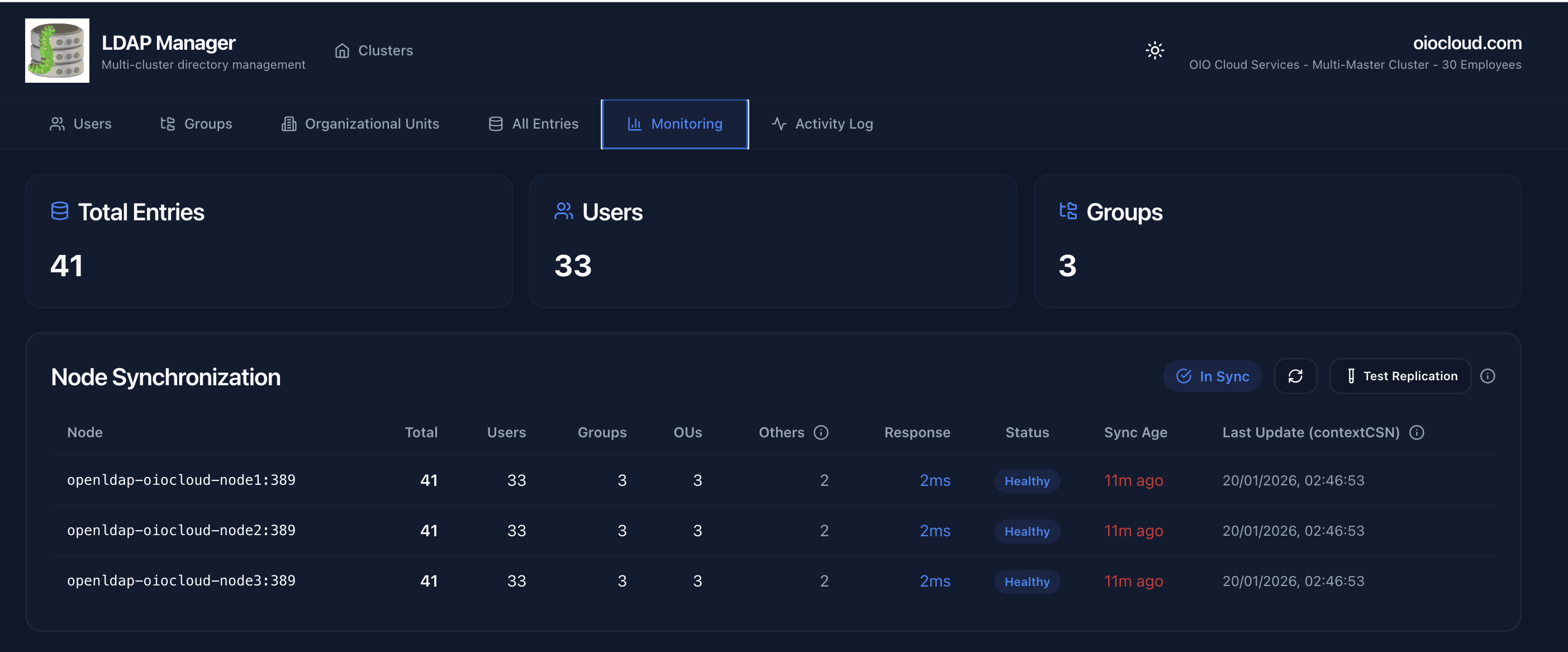 View health status across all nodes in a multi-master cluster.
Monitoring Features:
- Health Status - Connection state for each node
- Directory Statistics - User, group, and OU counts
- Connection Metrics - Response times and availability
- Cluster Overview - All nodes at a glance
Replication Topology
Visualize multi-master replication topology and sync status between nodes.
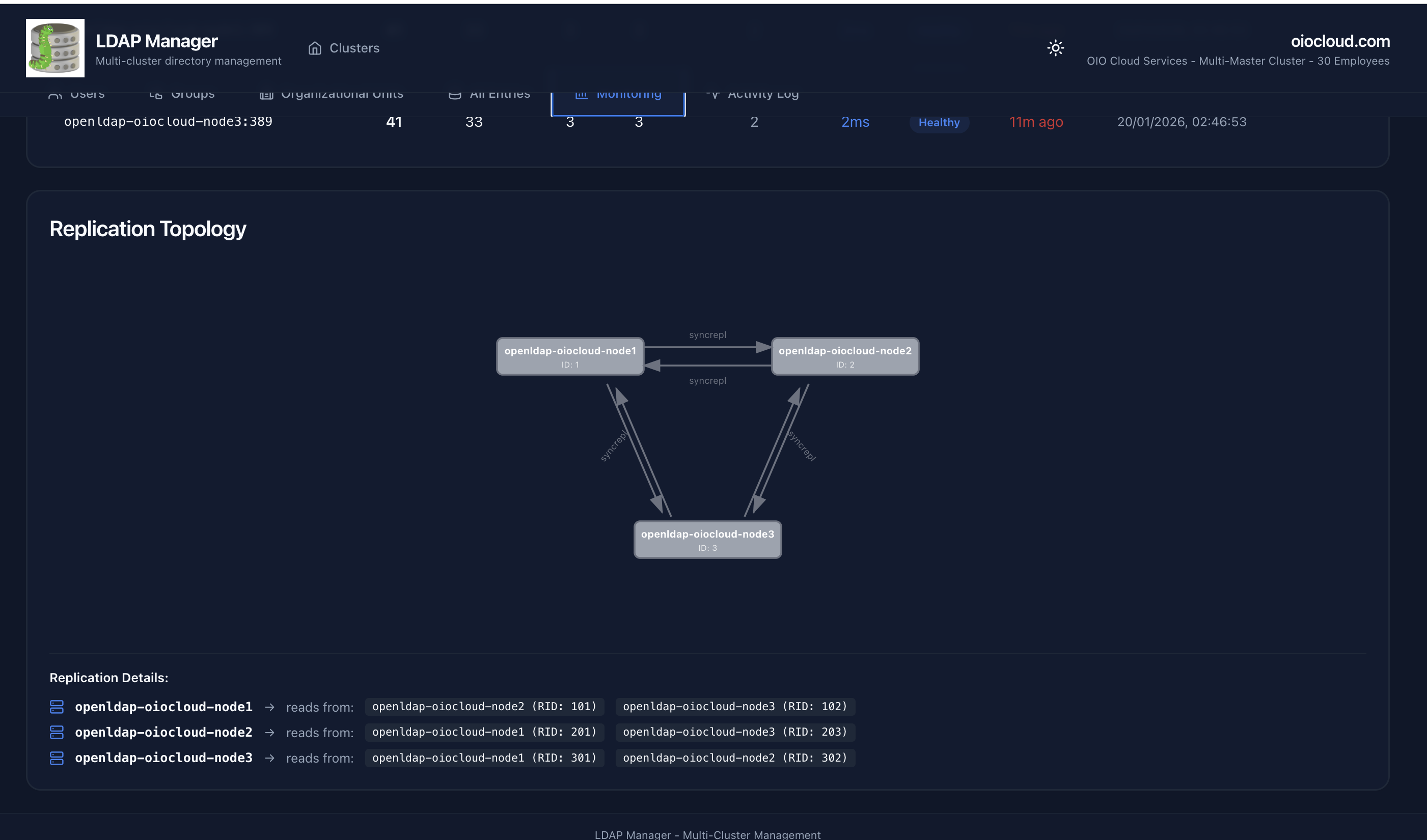
Features:
- Visual Topology - See replication connections
- Sync Status - Monitor replication health
- Node Status - Individual node health indicators
- Multi-Master Support - Full N-way replication visualization
Activity Logs
View LDAP operation history and search examples.Features:
- Operation History - See recent LDAP operations
- Search Examples - Learn LDAP filter syntax
- Audit Trail - Track directory changes
Production-Grade Features
LDAP Manager includes enterprise-grade features for security, high availability, and monitoring.Load Balancing & Failover
For multi-master LDAP clusters, LDAP Manager intelligently distributes load and provides automatic failover:- Read Distribution - Searches use last→second→first node order to minimize load on primary
- Write Consistency - Writes always go to first node (primary master)
- Automatic Failover - 2-second connectivity checks with fallback chain
- Connection Pooling - 5-minute TTL reduces connection overhead by 50x
Security Features
- Encrypted Passwords - Fernet symmetric encryption with automatic TTL expiration
- LDAP Injection Protection - All user input sanitized and escaped
- CORS Security - Environment-based origin whitelist
- Audit Logging - All CREATE/UPDATE/DELETE operations logged with context
-
Non-Root Container - Runs as
ldapmanager:1000user
Quality Assurance
- 104 Backend Tests - Comprehensive test coverage with 97% pass rate
- Security Testing - Encryption, injection protection, authentication tests
- Configuration Validation - Pydantic schema validation at startup
Observability
- Structured JSON Logging - Timestamp, level, module, function, line context
-
Health Check Endpoint -
/healthvalidates config, pool, LDAP connectivity - Request Metrics - Duration, status code, path tracking
Custom Schema Support
LDAP Manager automatically detects and displays custom objectClasses and attributes.How It Works:
- Filters out standard classes (top, person, inetOrgPerson, etc.)
- Displays custom schema name in "Object Class" column
- Shows custom attributes in "Details" column
- Supports any custom LDAP schema
Example Custom Schemas:
-
oioCloudEmployee- Custom employee schema -
MahabharataUser- Custom user schema - Any custom objectClass you define
Column Customization
Users can customize which columns are visible in tables.Features:
- Settings Button - Click ⚙️ icon to open column settings
- Show/Hide Columns - Toggle visibility for any attribute
- Persistent Preferences - Settings saved in browser localStorage
- Default Visibility - Admins can set defaults in config.yml
Server-Side Features
Server-Side Pagination (RFC 2696)
Efficiently handle large LDAP directories without loading all entries at once.- Default: 10 entries per page
- Navigate with Previous/Next buttons
- Reduces LDAP server load
- Faster response times
Server-Side Search
Fast LDAP filter-based search performed on the server.- Search across: uid, cn, mail, sn
- Real-time results
- LDAP filter syntax
- No client-side filtering
Auto-Discovery
Automatic base DN detection from LDAP rootDSE.- No need to specify base_dn in config
- Queries LDAP server for namingContexts
- Automatically selects appropriate base DN
- Works with any LDAP server
Technology Stack
Frontend
- React 18 - Modern UI framework
- TypeScript - Type-safe development
- Vite - Fast build tool
- shadcn/ui - Beautiful UI components (Radix UI + Tailwind CSS)
- Axios - HTTP client
- React Router - Navigation
Backend
- FastAPI - Modern Python web framework
- python-ldap - LDAP client library
- PyYAML - Configuration parsing
- Uvicorn - ASGI server
Compatible LDAP Servers
- ✅ OpenLDAP 2.4+
- ✅ OpenLDAP 2.6+
- ✅ 389 Directory Server
- ✅ ApacheDS
- ✅ Any RFC 4511 compliant LDAP server
Next Steps
- Learn how to configure clusters
- Explore API endpoints
- Review security best practices