Bulk Operations
Overview
Bulk operations allow you to delete multiple image tags efficiently based on patterns, age, or retention policies.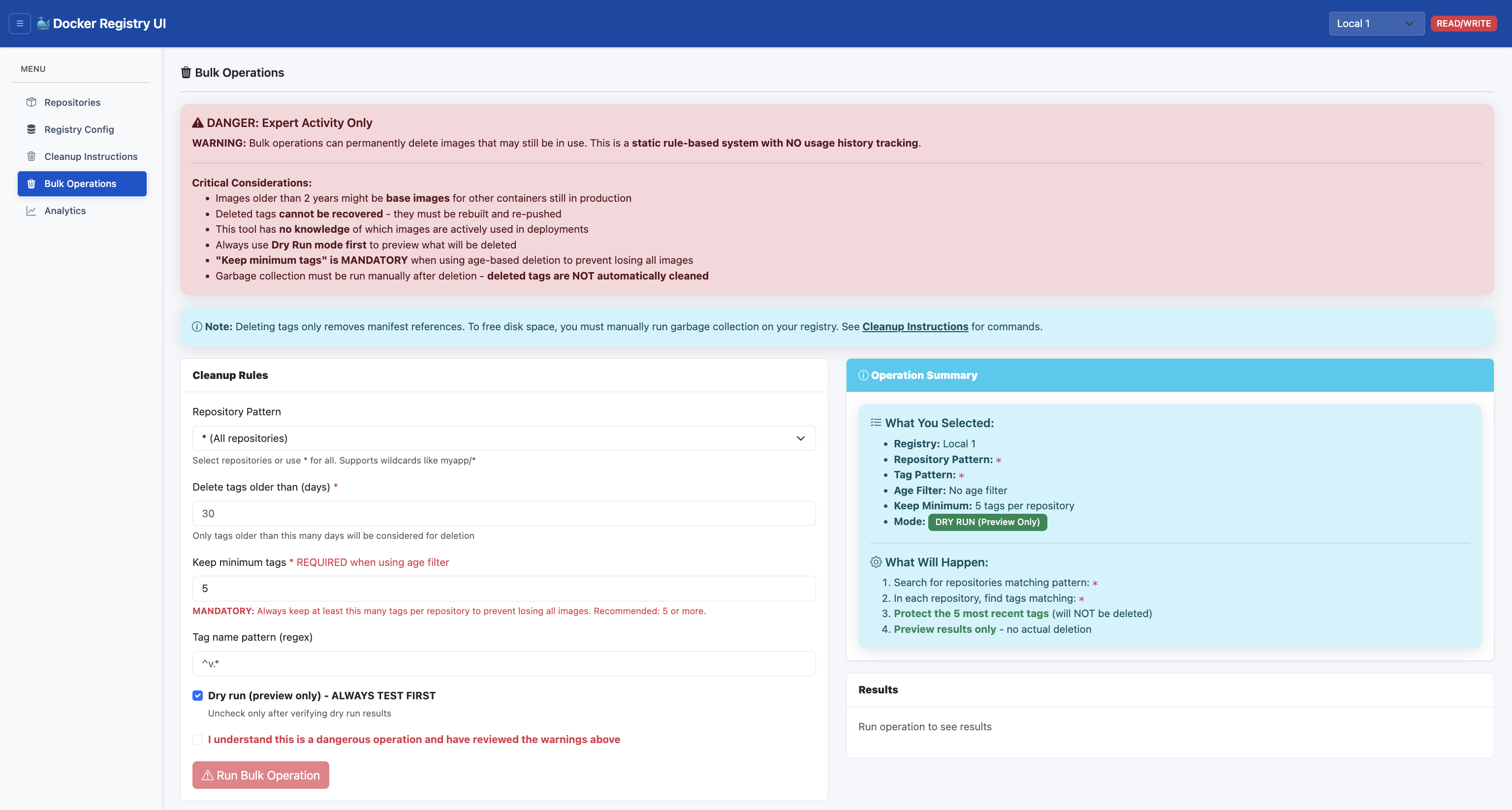 ⚠️ WARNING: Expert-Only Activity
This is a dangerous operation that cannot be undone. Deleted tags cannot be recovered. The system has no knowledge of which images are in use or deployed.
⚠️ WARNING: Expert-Only Activity
This is a dangerous operation that cannot be undone. Deleted tags cannot be recovered. The system has no knowledge of which images are in use or deployed.
Pattern-Based Deletion
Delete tags matching wildcard patterns:# Delete all dev tags
Pattern: dev-*
# Delete all feature branch tags
Pattern: feature-*
# Delete all tags with specific suffix
Pattern: *-snapshot
Age-Based Cleanup
Remove tags older than specified days: Delete tags older than 30 days Delete tags older than 90 days Custom age thresholdRetention Policies
Keep minimum number of recent tags: Keep last 5 tags, delete older ones Keep last 10 tags, delete older ones Custom retention countDry Run Mode
Preview deletions before executing: Enable dry run mode Configure deletion criteria Review list of tags to be deleted Execute if satisfiedSafety Features
Mandatory Keep Minimum: Required field when using age-based deletion Dry Run by Default: Preview results before actual deletion Confirmation Checkbox: Must acknowledge danger before running Operation Summary: AWS-style summary showing exactly what will happen Visual Warnings: Red danger buttons and prominent alerts Input Validation: Frontend and backend validation of parametersRecommended Keep Minimum Values
Repository Type Keep Minimum Reason
Development 5-10 tags Recent builds for debugging
Staging 10-20 tags Testing and rollback capabilityProduction 20-50 tags Multiple rollback options
Base Images 50+ or avoid May be used by many other imagesWhen NOT to Use Bulk Operations
Production base images (company-wide base images) Images with unknown usage Repositories you don't fully understand When unsure about deployment dependenciesLimitations (By Design)
No Usage History
System does NOT track which images are in use Cannot detect if image is deployed in production Cannot identify base images used by other images User must know their deployment architectureManual Garbage Collection Required
Deleting tags only removes manifest references Actual image layers remain on disk Must run garbage collection manually to free space See "Cleanup Instructions" menu for commandsExample Workflows
Clean Up Development Tags
1. Navigate to repository
2. Click "Bulk Delete"
3. Pattern: dev-*
4. Enable dry run
5. Review tags to delete
6. Execute deletion
Implement Retention Policy
1. Navigate to repository
2. Click "Bulk Delete"
3. Select "Keep last N tags"
4. Set retention count: 10
5. Enable dry run
6. Review tags to delete
7. Execute deletion